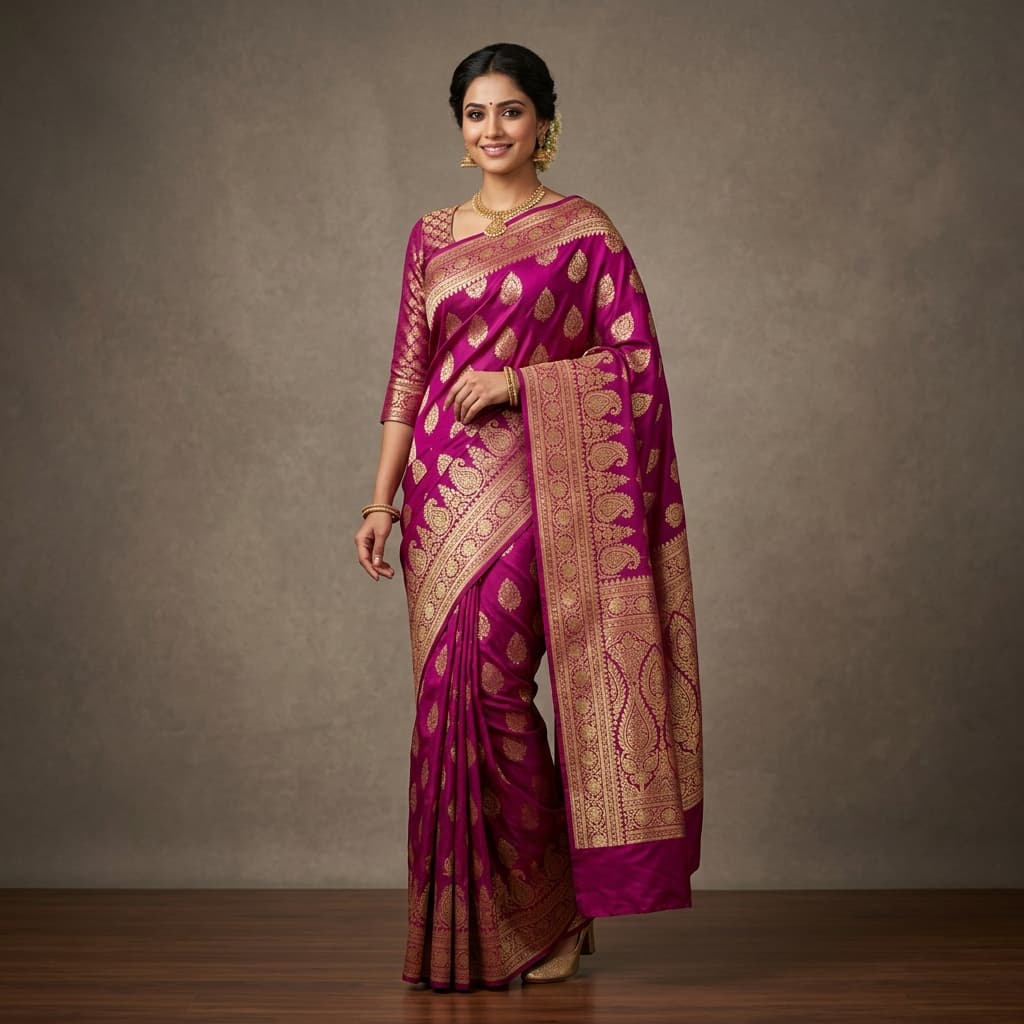
Designing and selling sarees online has traditionally been a logistically complex and expensive endeavour. From creating a physical weave to booking models, hiring professional photographers, and editing catalog images, the process can take weeks and cost thousands of rupees. But today, modern fashion technology allows ethnic wear brands to do all this digitally. In this guide, we will walk you through how to make a saree design in computer and drape it onto realistic models without ever booking a camera crew.
Step 1: Digitizing Your Fabric Patterns The first step in computer-aided saree design is creating high-quality digital fabric samples. Whether you design handloom cottons or Kanjivaram silks, you need a high-resolution flat image of three core components: 1. **The Main Body (Udal):** The primary fabric pattern that covers the majority of the drape. 2. **The Pallu (Mundhi):** The decorative hanging end of the saree, usually featuring rich embroidery, zari borders, or distinct motifs. 3. **The Blouse:** The coordinating pattern for the blouse fabric.
You can scan a physical swash of fabric using a flatbed scanner or take a crisp photo using a smartphone under soft, even daylight. Alternatively, you can export your pattern directly from design software like Adobe Photoshop or specialized textile CAD programs.
Step 2: Refining and Splicing Patterns Once you have your digital files, ensure they are cropped cleanly. The pattern should represent a seamless tile or a direct crop of the fabric. Adjust the brightness, contrast, and colour saturation so they look exactly as they would in real life. Save these images as JPEG or PNG files.
Step 3: Virtual Draping with E-Degin AI This is where the magic happens. Instead of printing the fabric and hiring a model, you can use E-Degin's AI Saree Mockup Generator: 1. **Log in** to your E-Degin workspace. 2. **Upload** your blouse, body, and pallu files into the respective slots. 3. **Select your pose:** Choose from a variety of front, profile, or seated model positions that highlight the drape details. 4. **Choose your backdrop:** Select a clean studio white, a soft beige room, or a traditional palace courtyard. 5. **Generate:** Click the render button, and within 10 seconds, our AI blends, wraps, and drapes the flat fabric files realistically onto a high-fashion model.
Step 4: Launching Your Collection Download the generated high-resolution mockup. You can instantly upload it to your Shopify store, list it on marketplaces like Amazon or Flipkart, or post it on Instagram to take pre-orders.
By designing and visualizing sarees entirely on the computer, you can test new colorways and styles before manufacturing them, reducing fabric waste and boosting your profit margins.
Transform Your Ethnic Wear Business With AI
Ready to generate premium saree, kurti, and suit mockups like the ones featured in this guide? Register a free account today and get 3 credits to start immediately.
Start Creating Free